
Questions and answers
Here you can find answers to frequently asked questions on your own.
If your question remains, our phone and email support are available to help you further.
Logbook
To get a good overview of the Logbook's contents, you can change to "Tree view" where you can either click on a specific folder and the content becomes visible or you can click on "Expand all" and all folders will then expand, making everything visible.
A Logbook can be inactivated in two ways; by the Logbook Owner or by the system in connection with the Logbook Owner's account expiring or being deleted. If this has happened, please contact info@byggvarubedomningen.se.
When inviting a participant, you can choose different permission levels that determine what the invited person will be able to do in the Logbook.
“Administrator” is able to:
- Approve deviations
- Change the date for the reminder function and approve completion reports
- Edit “info” and activate the deviation function/reminder function
- Invite participants
- Create subfolders
- Add/change/remove all products
- Export the project
- Add/change/remove their own products
- View everything in the project
The permission applies to the folder the administrator is invited to, as well as all underlying subfolders. An administrator in the root folder also has the ability to approve incoming deviation reports.
“Extended Participant” is able to:
- Invite participants
- Create subfolders
- Add/change/remove all products
- Export the project
- Add/change/remove their own products
- View everything in the project
“Participant” is able to:
- Export the project
- Add/change/remove their own products
- View everything in the project
The permission applies only to the folder the participant is invited to, as well as all underlying subfolders.
“Reviewer” is only able to view everything that has been added to the project.
“Anonymous Reviewer”
This function is intended for use in, for example, environmental building certifications where there is a need to invite an anonymous user. The administrator can then retrieve a link that is attached to the certification application submitted to SGBC.
If you want, I can also format this as a polished document or adapt it for a manual or website.
You can find the export function in each Logbook under the “Options” tab and “Export documents”. There, you can choose to export the entire Logbook or selected parts of it, and then click “Export”.
When a project is paused or completed, the Logbook Owner can inactivate the Logbook through their login. Inactivating the Logbook means that all history remains available in “view mode,” but it is no longer possible to work in it. The only exception is the “copy” function, which remains available even when the Logbook is inactive, allowing you to reuse your entered work in other Logbooks. The Logbook is billed for each month that has begun.
The price for an active Logbook is 1750 SEK per month (for every started month)
Under the "Logbook" tab on our website (not logged in mode) you will find information on how to work in our Logbook tool. There are also manuals, videos and training courses you can sign up for completely free of charge. You will find the Logbook manual here:
https://byggvarubedomningen.se/support/manualer/
You will find instructions for how to handle deviations in the manual for the Logbook Tool, which you will find here https://byggvarubedomningen.com/support/manuals/
Logbook owners and invited participants to a Svanen Generation 4 Logbook get access to the Svanen database SCDP (Supply Chain Declaration Portal), which means the opportunity to see which products are Svanen labelled, have an EU Ecolabel or are a declared product.
No, if the product is Svanen labelled or has an Ecolabel, it is automatically registered in each database, but a Listed product is not reflected in the SCDP database, and a material supplier must actively register their product again in the new database.
The functionality works the same but it is important not to confuse the generations and their requirements in the form that each generation involves a connection to two separate databases and also that requirements are based on a different product matrix. A product that is not affected by Generation 3 requirements may be affected by Generation 4 requirements and vice versa.
You either need to create a Logbook for Generation 3 or 4 using a case number from Svanen or be invited to such a type of Logbook.
No, it is very important that you have the correct search mode on in order to be able to add products to the relevant Logbook. If you happen to be in the wrong place, the system will help you slow down so that you can go back and end up in the right place.
Accounts and login
You can search our database if you have a full supplier account. Such an account is included in the annual subscription that every material supplier with published assessments has. If you want more full supplier accounts, these cost 4800 SEK/year per account (regular price). This account can be selected when creating a new user account and in cases where you want to upgrade an existing account, contact Byggvarubedömningen's support at info@byggvarubedömningen.se
A full account has an annual cost of 4,800 SEK where you can be invited to an unlimited number of Logbooks. A Logbook participant account is linked to the Logbook you have received an invitation to where the price is 750 SEK/invitation. In order to be the owner of a Logbook, you must have a Full account.
To create a Logbook account, you need to be invited to a Logbook. The invitation will come via email and the email will contain a link to create the account. Sometimes this invitation ends up in your spam folder, so please double-check there if you are expecting an invitation but have not received one.
All accounts at Byggvarubedömningen are personal and therefore cannot be transferred to another person. All users need to create their own accounts in our system. If your email has changed due to a name change, you can contact our customer support at info@byggvarubedömningen.se and we will help you.
Only the company administrator at the company can change the company details. You can see what permissions you have on your account under "My Account" and if you are a company administrator, that is also where you correct the company details. To get there, click on your name in the upper right corner and then select "My Account".
We recommend that all companies have at least one company administrator. If you do not know who yours is, contact our support to get this information.
We do not overwrite accounts as each account is personal to maintain traceability in Logbooks or during assessments. Contact Byggvarubedömningen's support if you need help with, for example, closing your account.
To renew your account you need to contact our support at info@byggvarubedomningen.se
All accounts in Byggvarubedömningen are personal. This means that if another person uses your login details, you will be logged out. The same applies if you are logged in on different devices at the same time. Please do not share your personal login details.
If you have received a Logbook invitation, you can choose between creating a full account or a Logbook account. To create a Logbook account, follow the link in the invitation.
Prices for these accounts can be found here https://byggvarubedomningen.com/logbook/price-list-logbook/
Yes, MFA is mandatory for all users to ensure our security. This helps us protect both our systems and your personal data.
You don't need to do anything, MFA and how often you need to verify your account happens automatically.
You have three attempts to log in with the correct code. If you fail all three attempts, your account will be locked for 15 minutes before you can try again.
The verification code is a one-time code that is valid for 3 minutes.
If you have not received the code, check your spam folder or search your inbox for 'noreply@byggvarubedomningen.se'. It may also have been caught in your organization's spam filter, in which case you need to check with your own IT department. It may also take a few minutes for the code to reach you. If necessary, you can request a new code.
Byggvarubedömningen's accounts are, and have always been, personal. More information about our account types and how to sign up for your own account can be found here:
https://byggvarubedomningen.com/logbook/price-list-logbook/ and here https://byggvarubedomningen.com/assessments/pricelist-assessments/
If you do not have access to the email address the account is linked to, please contact our support for assistance.
MFA will require you to verify your identity with a verification code every seven days or when you log in from a different device. It may take a few extra seconds, but it increases security significantly. Once logged in, Byggvarubedömningen's services will work just as usual.
Assessments
An environmental assessment by Byggvarubedömningen means, a construction product has been assessed on the basis of Byggvarubedömningen’s criteria on chemical content and lifecycle. The assessment leads to one of three possible assessment results: “Recommended” (green), “Accepted” (yellow) or “To be avoided” (red).
Byggvarubedömningen’s criteria are drawn up by our criteria group, which consists of experts from our member companies. The criteria for assessment of the chemical content are based on a number of properties that are hazardous to the human health and the environment, mainly from European chemical legislation: REACH and CLP.
In the assessment of the product’s lifecycle, an examination is carried out of specific aspects of the production, usage and demolition phases. The document containing this information is Byggvarubedömningen’s criteria for chemical content and lifecycle aspects.
If you would like to learn more about how we conduct our assessments, read under the question "How is the assessment level determined for a product?"
Those who apply for an assessment can apply for a new assessment, which means that we have 10 working days to return to you with a preliminary assessment, or you can apply for a reassessment of a previously assessed product, in which case the handling time is 20 working days. The preliminary assessment result will tell you if the product is ready for publication or if further additions are required. It is difficult to say in advance how long an assessment may take, but with as much relevant information as possible attached at the time of application, the process can go smoothly and quickly.
Should further information be requested after the preliminary assessment, you have 10 working days to provide additional information, after which we will re-examine the assessment together with the documentation received and return with a new assessment result after a maximum of 10 or 20 days. The described process will be repeated until all necessary documentation has been received. When the assessment gets the status Ready for publication, you have the possibility to publish it yourself. If you do not provide feedback, the assessment will be automatically published by the system after 14 days. During this period, you can submit additional supplementary information.
Once published, the product will be searchable in our system.
Please note that assessments with NDA cannot be applied for with specific time frames such as 10 or 20 days. These types of assessments follow their own separate assessment process and therefore we cannot give any end dates or timeframes for the finalisation of a assessment with NDA.
You can read more about the assessment process with NDA here!
You can find out more, and read an overview of the assessment process, here!
Yes, you can extend the deadline of your assessment yourself via your account if you need additional time to complete the additional requested information.
From the My Products home page, you can click on Options for the product you want to extend the date on, where you can postpone the end date by 14 days.
The following lists the documents relevant for an assessment.
Declaration template
The basis for an assessment is a building product declaration (equivalent to eBVD2015), for example Byggvarubedömningen’s declaration template that you create in your assessment application, with a detailed list of contents. The declaration template must not be older than five years and must be in Swedish or English.
Certificate of Substance Content and Concentrations
A Certificate of Substance Content and Concentrations verifies that you comply with Byggvarubedömningen’s reporting requirements. This document is only mandatory in cases where you wish to achieve the assessment level “Recommended”, even when you have created a building product declaration in accordance with eBVD2015.
Environmental Product Declaration (EPD)
It can be beneficial to append an Environmental Product Declaration (EPD) to an application in cases when such a document has been prepared for a product. An EPD can be attached as an addition to the Byggvarubedömningen’s declaration template.
Safety data sheet
For chemical products, we must receive a safety data sheet (in Swedish) that complies with Swedish legislation. The laws regulating what must be included in a safety data sheet can be found in Article 31, Appendix II. (EC) No 1907/2006 of the REACH regulation and rules concerning the classification, labelling, and packaging are regulated by the CLP regulation (EC) No 1272/2008.
RoHS Certificate/CE Marking
Electronic products require a valid RoHS certificate/CE Marking + an EU Declaration of Conformity that shows that the product complies with the current RoHS Directive.
Emission report / certificates concerning emissions to the indoor environment
Application for products intended for indoor use must be submitted together with an emission report/certificate concerning emissions to the indoor environment. The criterion applies to relevant products for indoor use, such as surface materials or applications, where emissions of volatile organic compounds (VOC) may reach the indoor air.
Certificates concerning sustainable forestry
Other documents that may be appended to the application are Certificates concerning sustainable forestry for products that contain wood raw material. More information such as the types of documentation we accept regarding emissions of VOC or certificates concerning sustainable forestry, is available in Byggvarubedömningen’s criteria for chemical content and lifecycle aspects.
If you need help preparing assessment documentation or in completing an application, we suggest you contact a consulting firm.
After publication, your assessment product card can be searched in our database and reviewed by our users. Information provided in the product description and item specifications will serve as keywords after publication.
In order for your product to be found in as many search results as possible, we recommend that you include a product description and the articles included in the assessment. Article name or article number must be indicated (*) and we recommend that you specify your articles with RSK, E-Number, GTIN/EAN if possible. GTIN stands for Global Trade Item Number and is a GS1 item number used to give products and packaging a globally unique identity.
Some of the benefits of using GTIN is that it provides greater product accuracy for your customers (and our users), better visibility and searchability for consumers online. As well as it allows products to be tracked and traced by everyone in the supply chain and facilitates matching with, for example, the Nordic Ecolabel.
The part of our assessment based on the product’s chemical content is not affected if the information is presented as Non-public or under a Non-disclosure agreement. However, one of the sub-criteria pertaining to the product’s lifecycle aspects require that the information is shown publicly for the “Recommended” level.
Sub-criterion 2.1. Emissions to air, water, or land
In cases when an EPD is appended and an assessment is desired against the sub-criterion, the “Recommended” level requires that the EPD is shown publicly.
In addition, products are also affected where information on product content is reported non-publicly or under confidentiality agreement with regard to Miljöbyggnad. This is because Miljöbyggnad requires a complete public declaration of content to receive the highest level, Gold, for indicator 13. This means products with an assessment where the content information is not reported publicly cannot reach higher than Bronze level (for products with BSAB codes: E-N & Z) or Silver (for products with BSAB codes: P, Q & R) on Miljöbyggnad’s indicator 13, version 3.0.
For indicator 14, version 2.2, products (with BSAB codes: E-N & Z) cannot reach Bronze level or higher.
For more information about Miljöbyggnad, please visit SGBS’s website.
An assessment with a Non-disclosure agreement intends that some or all information about the product has been submitted under a confidentiality agreement provided by Byggvarubedömningen. An assessment with Non-disclosure agreement must be applied for in our Web Service, the cost is 6,000 SEK per assessment and the processing time is longer than for normal assessments.
With this alternative, the confidential information will only be visible to the assessor and administrators of the confidentiality matter but will not be published publicly for our users. The confidential information is handled in a separate flow and in accordance with the terms and conditions of the agreement. Matters concerning confidentiality can be e-mailed to nda@byggvarubedomningen.se.
For more information, refer to our website and Non-public and confidentiality information.
When you report Non-public information, the confidential information will only be visible to Byggvarubedömningen’s assessors but will not be published publicly for our users. Non-public information makes no difference in terms of cost or time. Please note that we do not sign a formal agreement for this alternative.
The confidential information is to be excluded from the public declaration template and only presented in a separate appendix. INon-public information can be submitted to our regular assessments using the appendix for Non-public information, which is available for download on Byggvarubedömningen website.
If another party than the supplier who has applied for the assessment is to submit Non-public information, and wishes this information to also remain hidden from the supplier applying for the assessment, the information is to be entered in a Non-public appendix and e-mailed to us at bedomning@byggvarubedomningen.se. Specify that this is Non-public information from a third party together with the BVB ID number for the assessment in question. The company applying for the assessment is responsible for informing the third party that the appendix must be filled out and e-mailed to us, and for ensuring that third parties receive information about the BVB-ID number that must be specified in the appendix and e-mail.
If you have information that you wish to keep confidential in our assessments, Byggvarubedömningen offers two options. Either you can present non-public information in a regular new assessment (10 days processing time) or reassessment (20 days processing time). Or you can apply for a special assessment with confidentiality agreement. In this case, Byggvarubedömningen will sign a NDA with the party providing confidential information for the assessment.
For further information, read about Non-public and confidential information.
More information on this can be found under the questions "How can I report Non-public information in an assessment? "and "How can I sign a Non-disclosure agreement for my assessment?"
After your assessment has been published in Byggvarubedömningen’s Web Service, an e-mail containing the assessment symbol is sent to the company administrator and the person who applied for the assessment. This assessment symbol is your product’s overall assessment. Along with this, conditions and instructions are sent for how the symbol may be used on your website to show that the product has been assessed by us. The Print button can be found at the top of the Product card and under “Destination” you can choose to save the document as a PDF.
When the product has the status “Assessment ongoing” or “Additional information received”, the product is locked for the applicant. This is because the assessment is being processed, and the assessor is examining the assessment documentation and may be updating the product’s assessment.
It is preferable that all the requested additional information is submitted for assessment at the same time. However, if you wish to add more information that was not submitted with the additional information, you can always e-mail us at bedomning@byggvarubedomningen.se, and we will open the assessment for further additions.
If you have an already published assessment of your product but for some reason want to reassess the product, you do not need to apply for a new assessment, instead you apply for a reassessment with a 20 working day processing time. From the page My Products, click on Options for the product in question and then on Apply for reassessment. You will then be redirected to the assessment application. You can now choose to apply for the reassessment by using our digital application template (default option).
When filling in your application for reassessment, you will be able to update information regarding the product previously filled in and add new documents. Remember that all the public information and documents attached to the previous assessment are also included in the reassessment. These documents may be relevant to your assessment, any documents not considered relevant to the assessment will be hidden by the assessor.
For more information on how to apply for a reassessment with a digital application template, see our manual Environmental assessments – with an digital application template (p. 36).
It is not possible to delete documents that have been added to the assessment after it has been submitted. The reason for this is that it needs to remain for traceability reasons as the assessor often includes these documents in their examination and may ask questions regarding the documentation. When adding additional information to your assessment, you only need to submit new documentation. If any information is out of date or incorrect, this can be communicated to the assessor through the comment function in the assessment.
In your application template under section 2, “Product information”, you can add item number to your product. If you would like to add more than one number, click on Add item specification to enter each item number linked to the product.
If there are a larger number of items, you can use the Import product items template. The information is then entered into the template and the item numbers are imported into the assessment using the template.
Remember that item specifications make it easier for our users to find your products in the product database.
A manual for our Digital application template is available on our website explaining how to add/import items.
As soon as a preliminary or final assessment result has been decided and sent to you by e-mail, you can access and examine the result in its entirety in the Web Service. We refer to this view as the assessment’s Product card. From “Products”, you can find the Product card by clicking on the product name. The Product card provides general information about the product, reported substance content and documentation appended as public information for the assessment. Here, you can also view the detailed results on the different assessment criteria and learn how the product was assessed. When the assessment is published the Product card and the attached public appendices will be visible to other users.
If you have submitted an application with public information, i.e. that the entire declaration of contents and all submitted appendices are public, the product’s entire reported content and all attached appendices will be available on the Product card. If you have reported certain information about substance content as Non-public or attached documents that are Non-public when applying for an assessment, you will not see these when you add additional information to your assessment. If you need to access your Non-public information later, we therefore ask you to save the information on your computer.
When a new preliminary assessment is available, it is found via your account in the Web Service and an email is also sent with the assessor's comments. This can be that information is missing or needs to be specified, or is requested for the possibility of a higher assessment.
For example, it may be information that was not sent at the time of application.
As a supplier, you always have the opportunity to add additional infromation to your assessment before it is published and becomes visible to our users in the product database. The addition must be made within 10 working days (both for new assessments and re-assessments) and it is possible to ask questions to the assessor via the comment field in the assessment before publication.
You can also email us questions about ongoing assessments at bedomning@byggvarubedomningen.se.
When you have completed an application to assess a product, a BVB ID-number is automatically created that identifies the product in our database. You can find the BVB ID-number when you login to the Web Service and view Products. You can also find the product’s ID-number on the Product card. You can use the ID-number when you contact us with questions about the product.
Additions are mainly made through your Web Service account and additional information is based on the assessor’s comments. Depending on the type of information requested in comments from the assessor (the preliminary assessment result), you may add information to your assessment by revising existing documentation, submit additional documentation or clarify existing information.
Additional information using an electronic application template
When you revise or submit new information about product content or lifecycle aspects in an assessment using our digital application template, you can make your changes directly in the Web Service. If other assessment documentation is required, you can also append this to your assessment and then submit your additional information. You can again use the comments function to answer questions from the assessor or to leave a comment.
A manual are available on our website with step by step explanations of how to submit additional information.
Based on the documentation submitted about the product, we use Byggvarubedömningen’s criteria for chemical content and lifecycle aspects when we conduct the assessment. Depending on how the product relates to the various criteria with regards to content and lifecycle aspects, an assessment is prepared. Based on the outcome the result is weighted in an overall assessment of To be avoided (red), Accepted (yellow) or Recommended (green).
The terms for weighting are as follows:
For the ”Recommended” level
- All content criteria are assessed as “Recommended”.
- No lifecycle criteria are assessed as “To be avoided”.
- At least 50% of the product’s relevant lifecycle criteria are assessed as “Recommended”.
For the ”Accepted” level
- No content criteria are assessed as “To be avoided”.
- No lifecycle criteria are assessed as “To be avoided”.
For the “To be avoided” level
- One or more of the content criteria are assessed as “To be avoided”.
- One or more of the lifecycle criteria are assessed as “To be avoided”.
To apply for an assessment, you first need to open a user account (in English or Swedish) linked to a company subscription. This account gives you access to our web service, which you can access by logging in via our website. Note that our user accounts are personal and should only be used by the person who created the account, but you can create multiple accounts if there are more people in your organisation who want to use the Web Service.
You can find the price list for company subscriptions, what is included and additional services here.
More information about the documentation required in the application can be found under the question "What documents are needed for an assessment?"
When you have logged into the Web Service you will find our digital application template. The digital template offers help on the path to creating a building product declaration, and by answering questions and filling the template out you create your own building product declaration.
Byggvarubedömningen provides user manuals to help you in the application process. These manuals provide step by step help in preparing an application for your product.
For more information about the documentation required in the application, read the question "What documents are needed for an assessment?"
Do you have a published product that you wish to reassess? Read more about how to do this under the question "How can I apply to reassess a product?"
Our digital application template is available in English. You can find it when logged in to our Web Service under My products and Apply for assessment. When you fill out our digital application template, you automatically create a building product declaration.
All other documents are available in English and can be found on our website under Downloads.
It is possible to apply for more assessments than the number included in your current price range. However, please note that Byggvarubedömningen may issue additional invoices in cases where suppliers move up in price ranges or when purchasing additional services. If you wish to upgrade to a new level, you can do so while logged in to the Web service.
In order for you as a customer to tailor a solution based on your specific needs, Byggvarubedömningen offers the following add-on services for the annual subscription: User account with full privileges and access to search the product database, 4,800 SEK each, Invitation to Logbook (750 SEK), New confidentiality assessment (6,000 SEK), Reassessment of confidentiality (1,000 SEK).
If the company chooses not to have a corporate subscription anymore, all user accounts linked to the company will also be terminated. We retain your account information for 12 months if you choose to subscribe annually during that period. Afterward, all data will be deleted in accordance with what is described in our terms and conditions.
To terminate the company's subscription, the Company Administrator needs to contact Byggvarubedömningen's support team for assistance in closing the company account. Please note that this will also affect all user accounts associated with the company.
If the annual subscription is not renewed, the company's user accounts will be deactivated, and information about the company's assessments will be displayed very limitedly in a search within the product database. Additionally, they will not be able to be added to new projects. However, the assessments will still be visible in completed and ongoing Logbooks where they were previously added.
Byggvarubedömningen will only check point f) against substances on the candidate list and the paragraph after point f) in Appendix C. Point a) – e) are legal requirements and will we not be checked by us.
Point f) are about subjects on the list of candidates that are ABOVE 0.1% and therefore not fulfill the Taxonomy and the paragraph after point f links to the following H-indication / Listings: H340, H350, H360, H360D, H360FD, PBT och vPvB.
For emissions, it is the standard EN 16516 alternatively ISO 16000-3, formaldehyde and carcinogenic substances that are covered by the Taxonomy.
See summary in the table below:
| Appendix C |
Concentration |
Note |
| a)-e) | - | Legal requirements – the supplier ensures on their own that they comply with legal requirements in order to have their product on the market. |
|
f) The Candidate List |
0,1w% | Assessments with substances on the candidate list over 0.1% by weight do not meet the Taxonomy requirements. |
| The Paragraph after point f) | 0,1w% | Assessments with substances which are linked to the following H340, H350, H360, H360D, H360FD, PBT och vPVB. |
| Emissions | Concentration | Note |
| Formaldehyde | 60 µg/m3 | |
|
Carcinogenic substances |
1 µg/m3 | |
|
Standards |
EN 16516 or ISO 16000-3 |
In the Taxonomy, the following is specified regarding the testing standard for formaldehyde: testing must be performed in accordance with the conditions outlined in Annex XVII of Regulation (EC) No 1907/2006.
This standard is new, and currently, we (in collaboration with BASTA and Sunda Hus) have agreed that EN 16516 or ISO 16000-3 is acceptable for alignment with the Taxonomy.
Compliance with the Taxonomy requirements is stated on all published assessments belonging to a product group (specific BSAB codes) that should be covered by the Taxonomy. That is, the product groups that are included will display compliance (Meets/Does not meet) on the product card and in the search function.
For products that are not covered by the Taxonomy requirements, a blue banner with the text: Product not included.The product is not included in the requirements of the EU Taxonomy Appendix C and information about emissions.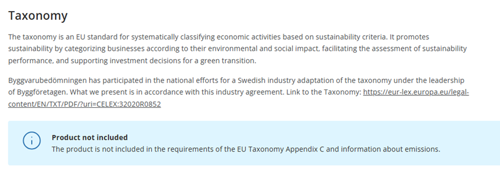
The information regarding Annex C (candidate substances) is linked to the content information specified in the current version. The assessment applies to all 11 different candidate listings and the specified concentration. Emission information is linked to the entered data (EN 16516, ISO 16000, formaldehyde, and carcinogenic substances) for those that have a report or certificate. The assessments marked in relation to stone, steel, or wood are not covered by the Taxonomy as they are not considered to emit emissions.
The taxonomy will affect the construction industry in several different ways - companies responsible for the construction of new buildings, renovation of existing buildings, and the acquisition and ownership of buildings are affected.
In addition, companies that manufacture certain construction products that are used in the construction industry are affected. Regarding the emission criterion, it is the indoor products that the user come in contact with that are covered. In our case, these are the products on which we request emission data for. Reconciliation against the candidate list, point f) in Appendix C, is done on all products.
Currently, it is the compilation in the export of the logbook that contains current information about which products that Meet/Do not meet the taxonomy alternatively Information is missing. We are reviewing what the next step will be in order to be able to search for the same information in the logbook as in the search function in Byggvarubedömningen.
Invoicing
Invoices for the annual subscription for environmental assessments are sent shortly after subscription is signed. Invoices for Logbooks, accounts and additional services linked to the annual subscription for environmental assessments are sent on an ongoing basis based on the order date. Payment requirements are 30 days.
For original invoices sent via paper format, we have an invoice fee of SEK 50. This is because we care about the environment and want to refer to digital alternatives, PDF invoices via email or E-invoice.
Only your Company Administrator can adjust your company details. This is done under "My account" when logged in. You can also email info@byggvarubedomningens.se.
E-invoices are linked using GLN numbers. Email your GLN number to faktura@byggvarubedomningen.se and we can arrange to send you e-invoices.
Invoice reference is what should be stated on the invoice so that your finance department knows what the invoice refers to. It can be a project number, cost center or a code string, etc. All companies have different and unique references and it is your responsibility to state the correct reference when ordering.
If an invoice remains unpaid despite a reminder being sent, the invoice will be forwarded to debt collection and the service to which the invoice relates will be temporarily closed. If you have received a debt collection request, you should contact the debt collection company regarding the matter.
Sustainable supply chains
Sustainable Supply Chains can mean different things depending on whom you ask. Based on the initiative initiated by Byggvarubedömningen, it means that construction-related products shall be manufactured without violating human rights, labour conditions must be decent, manufacturing shall not harm the environment, and bribery and corruption must not occur.
To achieve this, systematic work with processes and procedures needs to be in place. Please see the criteria document for what is required in a systematic work regarding Sustainable Supply Chains.
There are three levels at which suppliers can demonstrate their work with Sustainable Supply Chains in Byggvarubedömningen:
• Information is available – the supplier has added information to the product card regarding Sustainable Supply Chains, such as a certificates, policies, or code of conduct, via “Upload SAQ.” They can also answer brief questions about Sustainable Supply Chains in the digital application for assessment of chemical content and life cycle.
• Self-assessment questionnaire answered – the supplier has answered the self-assessment questionnaire and uploaded it on the product card in Byggvarubedömningen via “Upload SAQ”.
• Self-assessment questionnaire assessed – Byggvarubedömningen has assessed the self-assessment questionnaire based on the criteria on Sustainable Supply Chains.
Please note that above information will be made public in Byggvarubedömningen.
When applying for assessment on Sustainable Supply Chains, you need to specify which product is to be covered by entering a BVBID (you will receive a BVBID when the product has been assessed in Byggvarubedömningen on chemical content and life cycle). Which product is to be covered in the assessment is decided either by you or your customer/demanding party.
This product will in turn be used as a sample product to assess whether the supplier is working systematically with the criteria for Sustainable Supply Chains.
Contact social@byggvarubedomningen.se to start an assessment on Sustainable Supply Chains. The first step you need to do is to approve the tender and then we will book a start-up meeting regarding the assessment. You also need to ensure that you have all the documentation required for the assessment in place (please see the question “What documentation do we need to submit in order to be assessed on Sustainable Supply Chains?”).
See current price list for the cost of assessment on Sustainable Supply Chains (under “Additional services that can be purchased outside of the annual subscription ”).
Once a complete application (fully completed self-assessment questionnaire and required documents) has been received, Byggvarubedömningen has one month to do the assessment. Please note that during public holidays and vacations, such as Christmas and New Year, Easter, and summer months, processing times are extended.
If information/documents are missing, additional information is required, or major deviations has been identified, the assessment may take longer. The supplier's commitment and involvement in this work will have an impact on the processing time.
The documentation requirements on assessment for Sustainable Supply Chains are listed below:
• Fully completed self-assessment questionnaire
• Policy/code of conduct, including proof of adoption (criteria 1)
• Proof of written communication regarding policy commitment/code of conduct with suppliers linked to the sample product (criteria 2)
• Documentation of procedure for risk analysis (criteria 4)
• Documentation of mapping the supply chain (criteria 4)
• Documentation of planned and/or completed follow-up activities (criteria 5)
Yes, in order to apply for assessment on Sustainable Supply Chains, the product needs to have a BVBID. The product receives the BVBID once it has been assessed in Byggvarubedömningen on chemical content and life cycle.
The product's company must also have signed up for an annual subscription for environmental assessments. Please note that the cost of assessment on Sustainable Supply Chains is added according to the current price list.
It is currently not mandatory to apply for assessment on Sustainable Supply Chains. Please note that individual requirements may come from Byggvarubedömningen’s members and other purchasers/demanding party as the issue becomes increasingly important.
The assessment result is either Accepted or Recommended. Products that do not achieve Accepted or Recommended will first receive an action plan to work on.
Yes, for products that do not achieve Accepted or Recommended, Byggvarubedömningen will develop an action plan. This plan will specify the time frame within which the supplier must respond to Byggvarubedömningen (e.g., 1, 3, or 6 months). The time frame is determined by the severity of the identified deviation(s) and will, in turn, affect the processing time for the assessment.
Suppliers who achieve Accepted or Recommended on their sample product have the option of applying to have more products assessed. Contact social@byggvarubedomningen.se for a new tender and to initiate this additional service.
Byggvarubedömningen offers free webinars and e-learning regarding sustainable supply chains only in Swedish at the moment, please see webinars for suppliers and purchasers who want to learn more about sustainable supply chains and social criteria, or our free e-learning course on sustainable supply chains, developed in collaboration with Svensk Byggtjänst.
Please contact social@byggvarubedomningen.se if you are in need of support in English.